
 Derek Walsh
 My note-taking system was a mess. I had Notion for client projects, Apple Notes for ideas, Obsidian for my second-brain experiment, and three different Moleskines on my desk. When AI note apps finally got good in 2026, I decided to consolidate — and figure out which AI-powered notebook actually deserved my workflow.
I spent 90 days using Notion AI, Mem, and Obsidian Copilot as my only note tool for 30 days each. Same projects, same notes, same daily journaling habit. Here’s the honest, friction-revealing breakdown.
My Test Setup (Same Notes, Different Apps)
I migrated 600+ existing notes into each app and added daily journaling, meeting notes, and project documentation for a full month. I measured: AI accuracy on summarization, time-to-find-a-note, link/backlink quality, and the friction of getting ideas out of my head and into the system.

The Three-Way Verdict
Notion AI ($10/month add-on) wins for team work. The AI feels like an extra collaborator inside structured docs — perfect for project pages and wikis. But for personal notes? It’s overkill. Notion’s database-first model adds friction when you just want to write.
Mem ($14.99/month) wins for pure speed. No folders, no databases — just type, hit save, and Mem’s AI surfaces connections you forgot. After 30 days I was getting ‘oh I wrote about this two months ago’ moments almost daily. The catch: less polish for shareable docs, and the mobile app still feels beta.
Obsidian + Copilot plugin (free + GPT-4o key) is the power-user winner. Your notes live in plain markdown files you own, the Copilot plugin lets you choose your LLM (I use Claude API), and you can build the system around your brain instead of the other way around. The trade-off: setup takes a weekend, and the mobile experience requires syncing via iCloud or git.
Gear That Made Note-Taking Sustainable
Sounds dumb, but having a physical notebook open while I worked in the AI app helped me capture before structure. I’d scribble fast in pen, then transfer the real ideas to my AI notes. Here are the notebooks I tested alongside the apps — yes, in 2026, paper still matters.
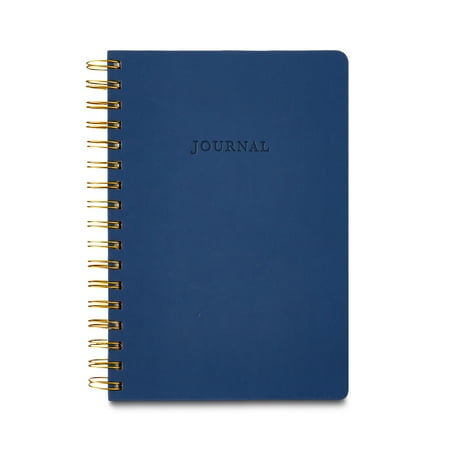
Pen+Gear Navy Hardcover Spiral Journal for All Ages, 240 Ruled Pages
This is the notebook I keep open next to my laptop. Good paper weight, lays flat, survives daily abuse.
- ✅ Paper handles fountain pens without bleed
- ✅ Lays flat on a desk — critical for writing fast
- ✅ Pocket-friendly size for capture-on-the-go
- ⚠️ Cover gets scuffed faster than premium brands
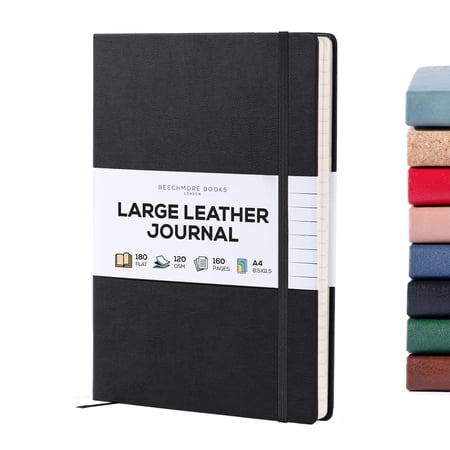
BEECHMORE BOOKS Lined Journal Notebook, 8.5 x 11.5 inch, A4 160 Lined Pages, Hardcover Leather Journals for Women, Men, Writing and Notebooks for Work – 120 GSM Thick Paper, Gifts Box Included
My backup. Bigger pages, more room for mind-maps. I use this for weekly planning sessions.
- ✅ Larger pages great for visual thinking
- ✅ Solid construction
- ✅ Affordable for everyday use
- ⚠️ Less portable
- ⚠️ Cover not as premium

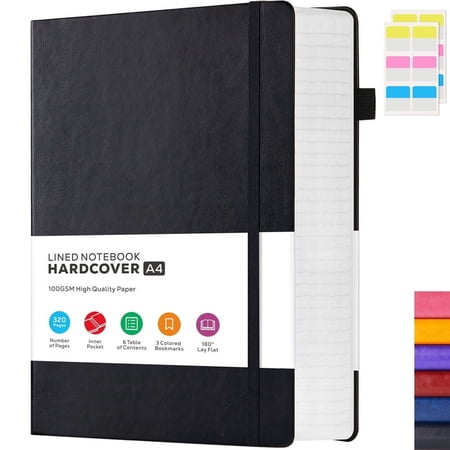
NIRMIRO A4 Hardcover Notebook: Large 8.5"x11" College Ruled Journal with 320 Pages, 100GSM Thick Paper, Leather Lined Cover for Work, School, Study, Writing & Business
Honest pick if you go through notebooks fast. Quality is fine for daily journaling.
- ✅ Multi-pack value
- ✅ Good for daily journaling
- ✅ No-frills design
- ⚠️ Paper thinner than premium picks

OMEYA College Ruled Notebook, A5 Leather Notebook, Lined Journal Notebook for Men & Women, 100GSM, 192Pages, Hardcover Notebook with 2 Pockets, Professional Business Notebooks for Work
Different format that worked for me when I wanted structured weekly pages.
- ✅ Built-in structure
- ✅ Encourages consistency
- ✅ Travel-friendly
- ⚠️ Less flexible than blank pages
✅ Pros
- AI note apps finally surface old ideas you forgot about
- Each app fits a very different brain type
- Plain-text export means no app lock-in if you choose right
⚠️ Cons
- Subscription stacking is real — pick one and commit for 90 days
- AI summarization still misses nuance occasionally
- Migrating notes between apps is painful — expect a weekend
Frequently Asked Questions
Notion AI vs Mem — which should I pick?
Notion AI if you collaborate with a team and need structured docs. Mem if you take a lot of personal notes and want zero-friction capture with AI surfacing old ideas.
Is Obsidian still worth using in 2026?
Absolutely — especially with the Copilot plugin. You own the files, you choose the AI model, and the plugin ecosystem keeps getting better. Best for technical users.
Can I use AI note-taking without a subscription?
Yes. Obsidian is free; the Copilot plugin needs an API key (pay-per-use, usually $3–5/month for normal use). Apple Notes added free AI summarization in 2026.
Do AI summaries hallucinate?
Less than they used to, but yes. Always read the source note before sharing an AI summary externally. For personal use the trade-off is fine.
Which AI note app has the best mobile experience?
Notion's mobile app is the most polished. Mem is decent. Obsidian on mobile still needs sync configuration and feels rough.
Which Note App I Actually Kept
I kept Mem. I’m a ‘capture fast, organize never’ person, and Mem’s AI does the organizing for me. Notion AI went back to being only for client-facing docs. Obsidian sits as a long-term archive. Your answer depends entirely on whether you’re a structure-first or capture-first thinker — figure that out before you pick.