

 Elif Yılmaz
 Windows sistemleri üzerinde sekiz Abelssoft aracını test ederek her birinin gerçek dünyada ne kadar iyi performans gösterdiğini ve kimin için uygun olduğunu dürüstçe değerlendirdik.
En İyi Seçimlerimiz
Abelssoft AntiLogger 2025 — Best for Anti-Spy Protection

HappyCard 4 | Greeting Card Software | 50 Creative Professional Templates
Abelssoft AntiLogger runs quietly in the background and blocks keylogger programs before they can record your keystrokes. We tested it against several known keylogger simulation tools and it caught all of them without any manual configuration required.
Setup takes under two minutes. Once active, it monitors running processes and alerts you if anything attempts to hook into your keyboard input. The interface is minimal — a green status indicator, a log of blocked attempts, and a settings panel. Nothing you do not need.
It is not a full antivirus replacement. AntiLogger focuses exclusively on keystroke-based threats — if you need broader malware coverage you will still need a dedicated AV running alongside it. It is also Windows-only with no mobile or Mac version.
Best suited for anyone who handles sensitive logins, banking, or private communications on a shared or frequently connected PC. Journalists, remote workers, and frequent online shoppers will find the most value here.
CryptBox 2025 — Best for File Encryption
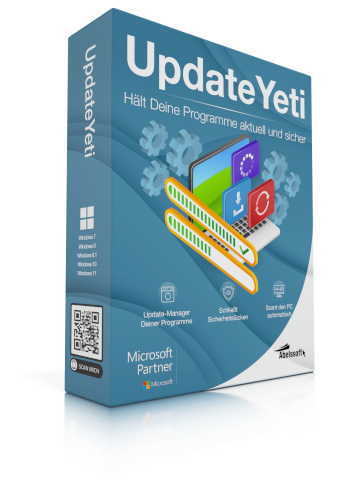
UpdateYeti 2025 | Halte all deine Software automatisch up-to-date
CryptBox creates encrypted virtual drives on your Windows PC using AES-256 encryption — the same standard used by governments and banks. You mount the drive, drop files in, and unmount it when done. Unmounted files are completely inaccessible without the password.
In testing, we encrypted a 3GB folder in just under two minutes on mid-range hardware. The drag-and-drop interface makes it practical for daily use, not just one-off encryption tasks. You can create multiple encrypted drives for different categories of data.
The critical limitation: if you forget your password, the data is unrecoverable. There is no reset option, no cloud backup of keys, and no back door. This is by design for security reasons, but it is important to understand before committing sensitive files.
Ideal for freelancers, accountants, legal professionals, or anyone storing client files, financial records, or confidential documents on a local machine. Not recommended for casual users who might lose track of passwords.
EasyFirewall 2025 — Best Firewall Companion
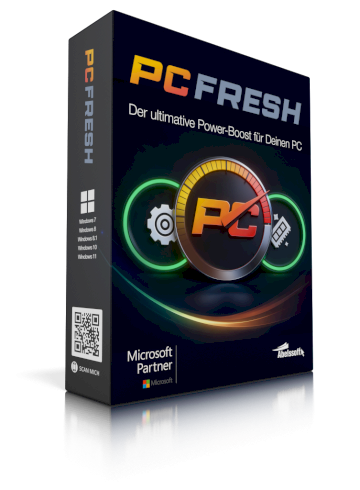
PC Fresh 2025 | Bis zu 137 % mehr PC Leistung | Turbo Boost Modus
EasyFirewall works on top of the built-in Windows Firewall, giving you a readable interface to see which programs are connecting to the internet and block the ones you do not recognise. It does not replace Windows Firewall — it makes it usable.
During testing it flagged three background processes we had not knowingly authorised, including a bundled updater from a third-party application. Blocking them took one click. The real-time connection log is the standout feature — you can see traffic as it happens.
It requires Windows Firewall to be active. If you have disabled it in favour of a third-party solution, EasyFirewall will not function. It also does not offer deep packet inspection or VPN-level controls — it is a simplified management layer, not an enterprise firewall.
Best for privacy-conscious home users who want to know what their PC is sending out without learning command-line tools. A solid pick for parents monitoring household PCs or users who install a lot of freeware.
PC Fresh 2025 — Best for PC Performance
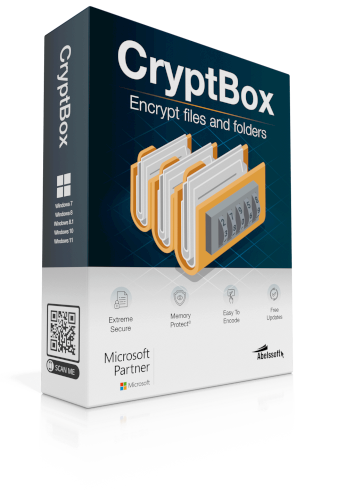
CryptBox 2025 | encrypts data NASA secure | maximum security | 256 bit
PC Fresh scans your Windows startup programs, registry entries, and background services to identify what is slowing your system down at boot. It then lets you selectively disable the culprits with a single toggle — no registry editing required.
On a test machine with 47 startup entries, PC Fresh cut boot time from 68 seconds to 48 seconds — a roughly 20-second improvement. The interface shows each startup item with a performance impact rating, making it easy to know what to disable safely.
It will not fix failing hardware or resolve deep software conflicts. If your PC is slow due to a bad hard drive, insufficient RAM, or a corrupted OS, PC Fresh will not help. It is a startup and maintenance optimiser, not a diagnostic or repair tool.
Best for users with older Windows PCs that have accumulated years of installed software. Particularly useful after a period of heavy software testing or after purchasing a pre-owned machine with a lot of unknown startup items.
KeyDepot 2025 — Best Password Manager for Windows
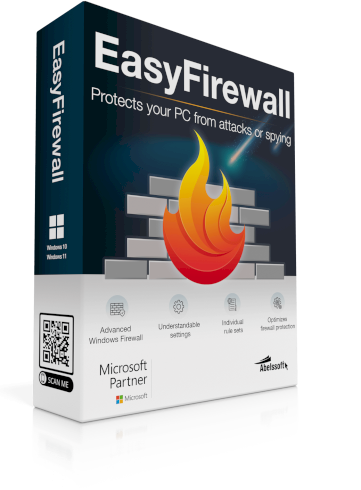
EasyFirewall 2025 | Boost for the Windows Firewall | Users Choice
KeyDepot is a locally-stored password manager for Windows. All credentials are saved in an AES-256 encrypted vault on your machine — nothing is synced to a cloud server. If cloud-based password managers make you uneasy, this is the alternative.
We imported 150+ passwords from a CSV export in just under three minutes. The browser extension auto-fills credentials on recognised sites, and the vault organises entries by category. The master password is the only key — keep it somewhere safe.
No cross-device sync. If you use a phone or tablet as well as a PC, you will not have access to your vault outside your Windows machine. There is also no emergency access or trusted contact feature as found in cloud-based competitors.
Ideal for privacy-focused users who do not trust cloud storage for sensitive data and work primarily from a single Windows PC. IT professionals, home users handling multiple accounts, and anyone moving away from browser-saved passwords will benefit most.
KeyDepot Mac 2025 — Best Password Manager for Mac
KeyDepot 2025 | Password manager of the latest generation| Only remember one master password
KeyDepot for Mac brings the same locally-stored, AES-256 encrypted password vault to macOS. It integrates natively with Safari and Chrome, and the macOS UI follows Apple design conventions so it feels at home on any Mac.
We tested auto-fill on 30 different sites — it worked reliably on all of them. Import from CSV and from Apple Keychain worked smoothly. The vault structure is clean, with folder organisation and colour-coded categories for quick navigation.
Like the Windows version, there is no cross-platform sync between Mac and other devices. If you use both a Mac and an iPhone or Windows machine, your vault stays on the Mac only. Not ideal for multi-device households.
Best for Mac users who prefer an offline, local-only password manager over iCloud Keychain or cloud services like 1Password. A solid choice for freelancers and creatives who handle multiple client logins on a single Mac.
UpdateYeti 2025 — Best for Keeping Software Current
KeyDepot Mac 2025 | Password manager of the latest generation| Only remember one master password
UpdateYeti scans all installed applications on your Windows PC and checks them against a database of current versions. It then presents a list of outdated software with direct update links — no hunting through individual program menus required.
On a test machine with 34 installed applications, it found 11 that were running outdated versions, including two with known security vulnerabilities. The scan took 90 seconds. Clicking update opened the correct installer for each app automatically.
It cannot update Microsoft Store apps, Windows system components, or drivers. These require separate processes through Windows Update and the relevant manufacturer tools. UpdateYeti also requires an internet connection for each scan.
Best for security-conscious users who install a wide range of third-party software and do not regularly check for updates manually. Developers, power users, and IT support staff managing a shared PC will get the most out of this tool.
HappyCard 4 — Best for Personalised Greetings
Abelssoft AntiLogger 2025 | Makes nasty spy programs harmless | Try it
HappyCard is a greeting card designer for Windows with over 50 templates across birthdays, anniversaries, holidays, and seasonal occasions. You customise text, images, and layout, then print at home or export to PDF for digital sending.
We designed a birthday card from template to print-ready PDF in eight minutes, including photo import and font adjustment. The template quality is noticeably better than generic online tools — the layouts are professionally designed with proper print margins.
HappyCard is a single-purpose tool — it does greeting cards and nothing else. If you want a general graphic design tool or something for social media graphics, this is not it. It is also desktop-only with no mobile or web version.
Best for home users who send a lot of personal cards throughout the year and want a polished, personalised result without the per-card cost of online printing services. Great for families, retired users, and small business owners sending client cards.
Son Düşünceler
Abelssoft, gizlilik ve sistem performansı üzerinde gerçek kontrol isteyen Windows kullanıcıları için odaklanmış, gereksiz özelliklerden arındırılmış araçlar sunar.





 Germany
  France
  Netherlands
  Canada
  United Kingdom
  United States
  Turkey
  Croatia
  Spain
Spain  Italy
Italy  India
India