

 admin
admin I ordered a $400 standing desk that wobbled at full height like a foal learning to walk — and learned the hard way that the desk you can’t actually type on at standing height isn’t really a standing desk.
Standing desk stability matters more than any other specification. A frame that wobbles when extended is the single biggest reason these desks end up parked at sitting height forever — and the spec sheets don’t tell you which ones wobble.
This guide is a deep dive on how to choose a standing desk that you’ll actually use — frame design, motor specs, top quality, accessory ecosystem, and the small details that decide whether the desk becomes a daily tool or an expensive shelf.
Our Top Picks

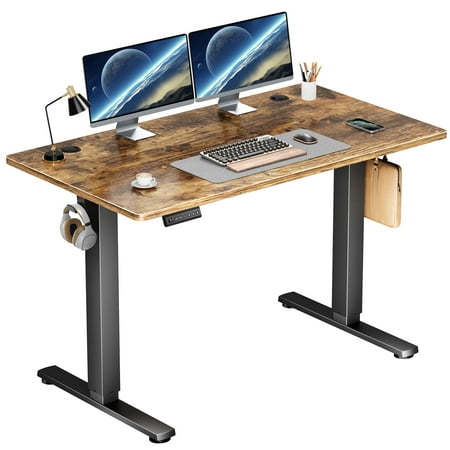

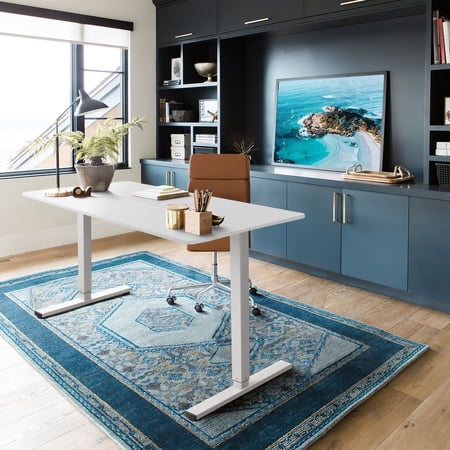


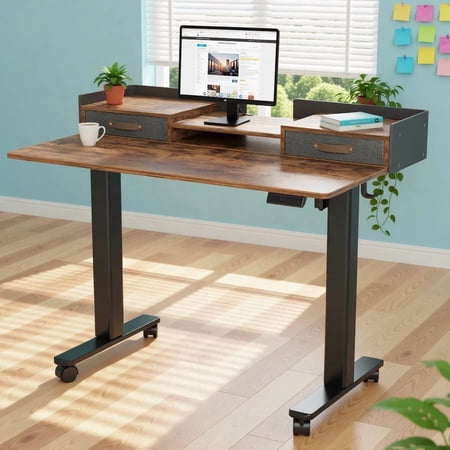




Why frame stability is the metric that actually matters
The single most important number on a standing desk spec sheet is one that almost no manufacturer publishes: lateral deflection at maximum height.
What makes a desk wobble
At full height, the desk legs extend up to 30+ inches. Every joint, foot, and column section adds a small amount of give. A cheap desk has too much give and oscillates at 1–2 Hz when you type — enough to make your monitor visibly wobble.
How to spot a stable frame
Look for: 3-stage legs (not 2-stage), inverted T-feet (not flat plate feet), crossbar bracing under the desktop, and a frame width that matches your desktop width within an inch.
The lateral-push test
At maximum height, push the desk laterally with about the same force as you’d type with. If it sways more than half an inch, return it. Reputable retailers know this test is real and accept returns.
Motors, speed, and what you don’t need to overpay for
Dual motors are now standard
Single-motor desks were the budget tier 5 years ago. In 2026, every $400+ desk has dual motors. Single-motor desks lift slower and wear unevenly — not worth saving $50.
Lift speed (largely meaningless above 1.5"/sec)
Manufacturers advertise lift speeds up to 2.5″/sec. Realistically, a 1.3″/sec desk feels indistinguishable from a 2.5″/sec desk in daily use — you press the button, you wait a few seconds, you go. Don’t pay extra for speed.
Memory presets matter more than you think
Three or four programmable height presets transform the user experience. Without presets, you adjust the desk manually every time — with presets, you press one button and it goes exactly where it should.
The desktop — what most reviews skip
The frame is what people fuss over. The desktop is what your wrists actually rest on for 40+ hours a week.
Solid wood vs MDF vs bamboo
Solid wood is the best, lasts forever, looks great, weighs a ton. MDF with a laminate is fine for 5–10 years, lighter, cheaper. Bamboo is a stable middle option — attractive, lightweight, durable.
Desktop thickness
1 inch (25mm) is the minimum for stability. Cheap desks use 18mm MDF, which flexes under the weight of monitors and visibly sags over time.
Front edge profile (matters for your wrists)
Sharp 90-degree edges press into your forearms when standing. Look for rounded or beveled front edges, or plan to add a foam armrest strip.
The accessory ecosystem (more important than you think)
What you bolt onto the desk frame defines what the desk can do.
Cable management trays
Without a tray, every cable hangs to the floor and gets in the way when the desk goes up. A $30 add-on tray is non-negotiable.
Monitor arms
Monitor arms free up desk surface and let you reposition screens without lifting them. Make sure the desktop has a grommet hole or supports edge-clamp arms.
Anti-fatigue mat
Standing on a hard floor for hours is more tiring than sitting. A simple $40 mat with a slight contoured surface dramatically improves how long you can comfortably stand.
How long should it last? (10 years is realistic)
The motors are the failure point
Motors are the moving parts. A reputable brand uses standard German-made motors (Jiecang, Linak) that have 10–15 year reliability — and crucially, replaceable parts.
What “5-year warranty” actually means
Some warranties cover only the frame, not motors. Read the fine print — a 5-year frame-and-motor warranty is the real signal of build quality.
What kind of user are you?
The right desk depends entirely on what you do at it.
Programmer / writer with a single laptop
A 48″ desktop is plenty. Single-monitor setup. Save money by going to mid-tier brands.
Designer / video editor with dual monitors
60″ desktop minimum. Stability matters even more because two heavy monitors amplify any wobble. Premium tier ($600+) earns its keep.
Streamer / podcaster with mounted gear
You’ll bolt arms, lights, and mics to the desk. Look for desktop with extra grommets and a frame rated for 250+ lbs.
Watch this before you buy
A short hands-on video covering the same picks and trade-offs we just walked through.
Pick the right desk — then plan to use it
The best standing desk in the world doesn’t help if you never stand. Set a recurring alarm to swap positions every hour, get an anti-fatigue mat, and use the memory presets. The desk is a tool; the habit is what changes your back. Live Amazon pricing in the table at the top.
As an Amazon Associate, SmartBuy earns from qualifying purchases at no extra cost to you.





 Germany
  France
  Netherlands
  Canada
  United Kingdom
  United States
  Turkey
  Croatia
  Spain
Spain  Italy
Italy  India
India