
 admin
admin I put the HyperX Alloy Origins Core head-to-head with the Ducky One 2 Pro—discover which one actually turns my typing into lightning-fast, tactile bliss.
Keyboard face-off: I tested both to find a winner. I compared the HyperX Alloy Origins Core and the Ducky One 2 Pro to see which suits gamers and typists best, I’ll cover design, switches, customization, and value to help decide.
Compact Powerhouse
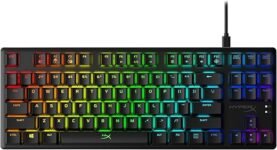
I appreciate the keyboard’s build and lighting — it feels like a premium compact board that performs reliably for gaming. I do wish stabilizers were better tuned or that the board were hot-swappable, but overall it’s an excellent TKL option for tight desks and frequent setups.
Acoustic Champion
I find the acoustics and typing experience outstanding — the combination of PBT keycaps, tuned stabilizers, and internal damping gives a refined feel. It’s a top choice when sound and typing quality matter most, though you trade a bit of software convenience for that polished hardware experience.
HyperX Alloy Core
Ducky One2 Pro
HyperX Alloy Core
Ducky One2 Pro
HyperX Alloy Core
Ducky One2 Pro
HyperX Alloy Origins Core vs. Logitech G Pro Keyboard: Ultimate Comparison
Design, Build Quality & Keycaps: First Impressions and Durability
HyperX Alloy Origins Core (TLK) — First impressions
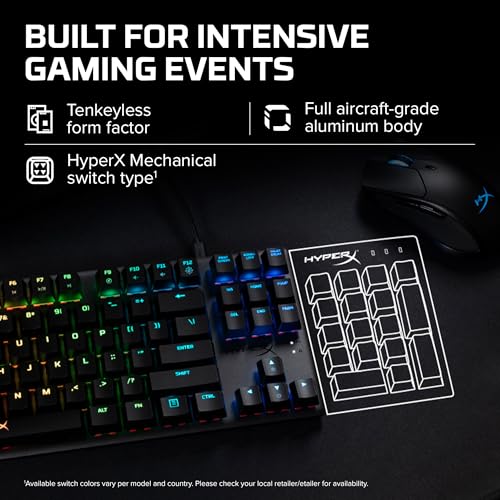
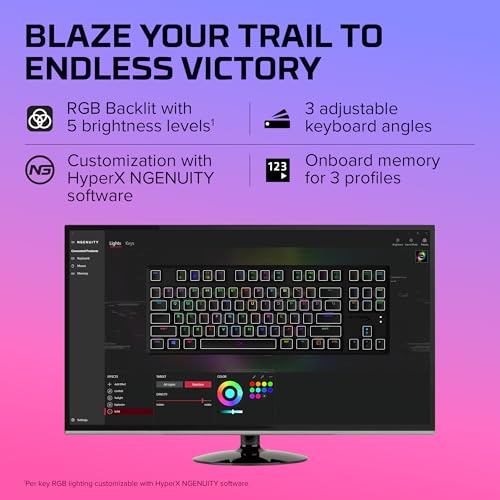
The Alloy Origins Core is immediately striking because of its tenkeyless, aircraft‑grade aluminum body. It feels rigid under my palms, lays flat on the desk, and the three tilt angles give useful options for comfort. The compact 87‑key layout frees up mouse space for gaming and travel; it’s noticeably smaller and lighter than a full‑size board.


Ducky One 2 Pro (Full‑size) — First impressions
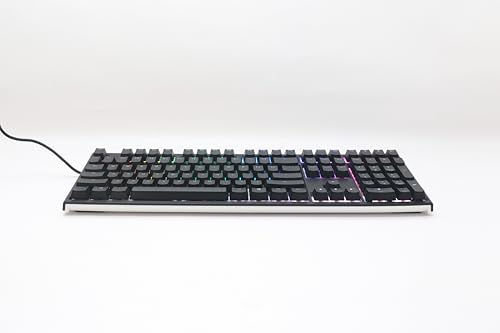
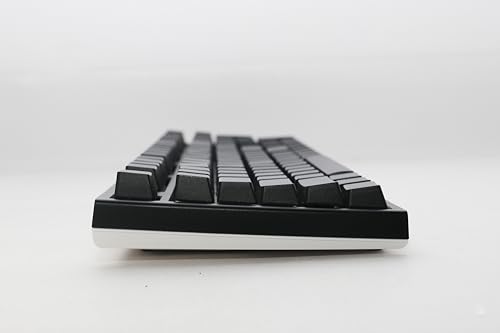
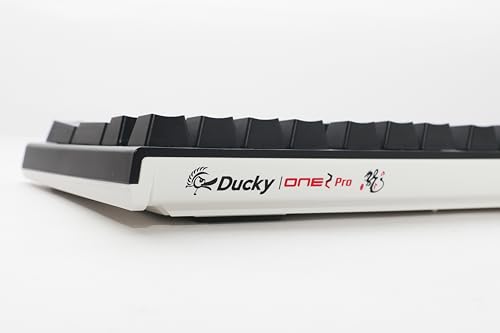
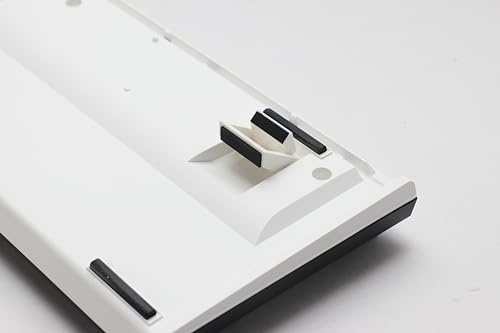
The Ducky One 2 Pro is the denser, more traditional full‑size keyboard: thicker case, heavier feel, and a low‑profile aesthetic. Ducky’s build emphasizes acoustic tuning (EVA foam, tuned stabilizers) over raw metal rigidity, which makes it feel refined and premium in a different way.
Keycaps, stabilizers, and RGB diffusion
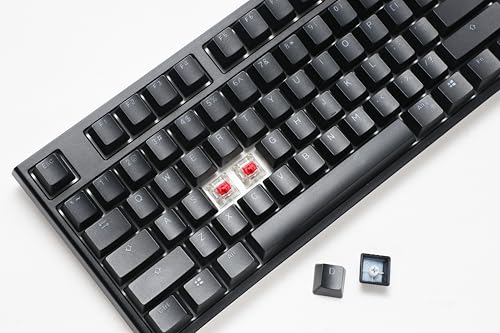
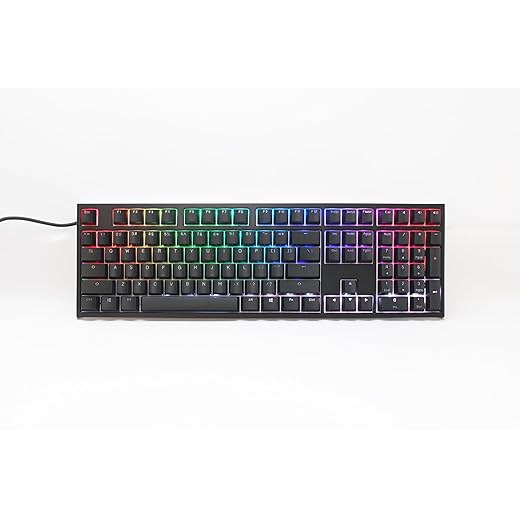
Keycap quality is where they diverge. The Ducky ships with thick, high‑density PBT doubleshot keycaps that resist shine and produce a slightly deeper, muted sound. The “Black Pudding” approach lets RGB bleed from the sides for richer underglow without sacrificing the clean doubleshot legends. HyperX uses thinner stock caps (typical ABS profile), which are smoother but will glossy sooner and don’t diffuse RGB as warmly. Stabilizers: Ducky’s V2/tuned stabilizers are noticeably firmer and quieter; HyperX can be a bit rattle‑prone out of the box.
Portability, footprint, and long‑term durability
If I need portability or desk space for large mouse swipes, I reach for the Alloy Origins Core. For long‑term acoustics, legend durability, and a more polished typing feel, the Ducky wins. Aluminum frame on the HyperX favors structural longevity; Ducky’s foam/damping and doubleshot PBT resist cosmetic wear and improve lifespan in a different, tactile way.
Switches & Typing Experience: Linear Reds, Cherry MX2A, and Sound Profile
Actuation, travel & feel
I’ll start with the raw switch numbers because they define feel. HyperX’s Linear HyperX Red switches are light and fast — roughly 45g actuation with a short-ish pre-travel (around 1.8mm) and ~3.8mm total travel. They feel very smooth, with almost no tactile bump, so presses register predictably and quickly.
The Ducky’s Cherry MX2A Red behaves like a classic Cherry MX Red: about 45g actuation, ~2.0mm actuation point and ~4.0mm total travel. It’s marginally deeper in travel and gives a slightly firmer-sounding bottom-out. That extra travel makes typing feel a touch more deliberate and forgiving for accuracy.
Quick comparison (key specs)
Sound, acoustics & real-world impressions
Ducky’s Quack Mechanics (EVA foam + tuned V2 stabilizers + thick doubleshot PBT caps) produces a deeper, muted “thock” with minimal ping and steadier stabilized keys. It feels more refined for long typing sessions. HyperX’s aluminum chassis with thinner ABS caps yields a brighter, higher-pitched sound and occasional stabilizer rattle out of the box. For accuracy and anti-bounce both are solid — I didn’t notice debounce issues — but HyperX’s shorter travel favors lightning-fast gaming input, while the Ducky’s slightly longer travel reduces finger fatigue and mistakes over long typing sessions.
Customization, RGB & Software: Lights, Macros, and Onboard Control
HyperX NGENUITY: GUI power and ease
I like that HyperX gives you a full graphical app (NGENUITY) to shape lighting and macros. Per-key RGB is available in the UI, you can layer effects, assign multi-step macros, and save profiles. The app makes complex setups fast: drag-and-drop effect zones, assign shortcuts, and export/import profiles. Onboard profile storage exists so your lighting and a couple of macros travel with the keyboard. NGENUITY occasionally needs updates and, in my experience, has had small stability hiccups after Windows updates, but it’s unmistakably the easier route for non-technical users.
Ducky: hardware-first, no bloat
Ducky takes the opposite approach — hardware-forward customization via onboard layers and key-combo programming. You create lighting layers, record macros, and toggle modes with Fn combinations. The Black Pudding keycaps amplify RGB side-glow, giving a punchier, more even color spread without software fiddling. There’s no dedicated PC software for deep editing, so once you learn the combos you’re rewarded with rock-solid, portable settings.
Quick comparison — what matters day-to-day
Feature Comparison

Price, Value & Who Should Buy Which Keyboard
Price vs. real-world value
At roughly $80 (HyperX) vs $99 (Ducky), the HyperX Alloy Origins Core is the better raw bang-for-buck if you want a sturdy TKL with full software control and an aluminum frame. The Ducky asks a modest premium for premium materials: thick doubleshot PBT keycaps, EVA dampening, tuned stabilizers, and cleaner acoustics.
Buyer profiles — my recommendations
Long-term ownership factors
Practical buying tips & alternatives
Final Verdict: Which One I’d Pick and When
After hands-on testing, I’d pick the Ducky One 2 Pro as my personal daily driver — it’s the clear winner for typing feel, premium PBT doubleshot keycaps, and hardware-first reliability that ages well. If you value a fuller, more satisfying typing experience and long-term durability, choose the Ducky.
That said, pick the HyperX Alloy Origins Core if you want a compact, gaming-focused board with software-driven RGB and macro customization and ultra-responsive linear switches. Quick recommendation: buy the Ducky One 2 Pro for typing and longevity; buy the Alloy Origins Core for competitive gaming and a smaller desk footprint. Order confidently, and invest in the keyboard that will turn work and play into something you genuinely look forward to every day. Pick wisely, enjoy typing.







 Germany
  France
  Netherlands
  Canada
  United Kingdom
  United States
  Turkey
  Croatia
  Spain
Spain  Italy
Italy  India
India
Both are solid. I got the Ducky for typing and the HyperX for gaming — ended up keeping Ducky because I like the thicker keycaps and quieter stabs.
Neutral take: buy based on what you prioritize — software/macros vs. keycap quality and typing feel.
Exactly — user needs = key deciding factor. Glad the article helped you choose!
Same! Ducky feels more premium for everyday use. But if you want on-the-fly macros, HyperX wins.
Ducky One 2 Pro = dream if you love the feel of high-quality PBT caps. The doubleshot legends will never fade and the sound is so thocky (in a good way).
Pudding looks cool in photos but I actually prefer the clean black PBT on my desk. Plus Cherry MX2A Reds are buttery.
Not a fan of too many RGB gimmicks though 😅
Yesss the thock! If you ever get annoyed by rattly stabilizers, try clip+lubing or go for Ducky — their stabilizers are pretty decent stock.
Agree on the PBT longevity — Ducky’s keycaps are a big selling point. RGB is nice but the typing feel often matters more in the long run.
Question for people who mod: which board takes mods better? I’ve heard people say Ducky is more ‘mod-friendly’ especially with the PBT caps and plate, but can you swap switches easily on the HyperX? Also wondering about stabilizer quality stock to avoid the whole rattle-lube routine.
Long post incoming:
1) I like to open boards, lube stabs and switches, maybe film the switch for that extra dampened sound.
2) I also might desolder and put in different switch brands if needed.
Anyone done full mods on either? Pros/cons?
Good technical question. The Ducky One 2 Pro is generally more mod-friendly for several reasons: standard PCB layout (easy to find custom switches), better stock stabilizers for minimal mods, and the PBT doubleshot keycaps are durable during repeated removals. HyperX Alloy Origins Core uses hotswap on some variants — check the specific SKU — but many HyperX boards are not designed for easy desoldering/switch replacement since the switches can be plate-mounted and the layout/PCB may be proprietary.
If you plan heavy modding, Ducky is safer. For lighter user-level mods (keycaps, simple lubing), HyperX is fine only if your model supports hotswap — check product spec before buying.
Pro tip: film+foam+proper lube transforms both boards, but Ducky yields a better baseline out of the box.
I modded a Ducky: lubed stabs + switches and added foam. The sound improved drastically. Ducky’s plate and case design traps less echo than my old HyperX.
I’ve swapped switches on a HyperX before — it was hotswap so easy. But if it’s soldered it’s a pain. Ducky’s PCB is cleaner for desoldering and re-soldering, imo.
Honestly loved your breakdown. I went from a full-size to a TKL recently and the HyperX Alloy Origins Core feels freeing — compact, sturdy, and the HyperX Reds are super smooth for gaming.
That said, I do miss my numpad for work sometimes. The Ducky One 2 Pro looks sexier with those pudding caps and the PBT doubleshot sounds lovely in videos. Tough call if you type a lot.
Also, the software on HyperX made lighting/macro setup painless — not sure the Ducky has that same flexibility out of the box.
Totally — I use a cheap USB numpad when needed. Ducky’s pudding caps make RGB shine but the doubleshot PBT is what keeps me on Ducky for daily typing.
Thanks Emily — glad the write-up matched your experience. For heavy numpad users a separate numpad or macro pad can be a good compromise with a TKL. Ducky’s strength really is its build and keycaps though.